Donnerstag, 28. November 2024

Learn How to Web Scrape: A Beginner's Guide

Learn How to Web Scrape: A Beginner's Guide

Is it a good idea to learn how to web scrape? If you want to save hundreds of hours of work, then you should. Also, it's a cool skill to have as a programmer.


Web scraping is the process of extracting data from websites, and since data is available everywhere, you can get it and process it effectively by mastering basic and advanced techniques. 


We've prepared a beginner's guide including all the essentials, from understanding website structure, going through basic techniques up to advanced web scraping concepts, so you can become a pro.


Understanding Website Structure


Before diving into scraping, you need to understand how websites are structured.


First, websites are built using code. The most common are HTML (Hypertext Markup Language, CSS (Cascading Style Sheet) and JavaScript.


HTML is the most popular because it's easy to use. It defines the structure and content of web pages using elements, which are represented by tags.


For instance,


-

for headings,
-

for paragraphs,

to name a few (and there are A LOT).


Here's an example of how an HTML code would look like:


Example Website

Welcome to my website!


This is a paragraph of text.


- Item 1
- Item 2
- Item 3
 

Lastly, CSS defines the styling of the HTML elements, while JavaScript is in charge of the dynamic behavior of websites.


The scraping tool we'll use will navigate the page using its structure, and will identify the content to extract. Sites with a more organized and descriptive structure tend to be easier to scrape. And as a beginner, you surely appreciate that right?


Setting Up your Development Environment


Ok now that you have an idea of website structure, you can start setting up your development environment.


First, you need to choose a programming language, since not all of them are fit for this task. Python is the most popular choice for scraping as it's high-level, easy-to-use, and it also has great libraries, frameworks and built-in tools.


These allow to solve a specific task related to scraping, such as the following:


- Requests: makes it easier to generate HTTP requests to the target website.

- BeautifulSoup: this library is used for parsing HTML and XML documents. But, wait a second, what is parsing? It's the process of analyzing and interpreting structured data.

- Selenium: to automate web browsers to perform tasks that simulate human interaction.

- Scrapy: this comprehensive framework can be used for different tasks, like web crawling (searching URLs to extract data), data mining, and automated testing.
How to Get Started?
- Environment setup: download the latest version of Python and install it. As easy as that.
- Set up a virtual environment: Create a virtual environment to keep your project's dependencies isolated. Open a terminal and run the following commands:
python -m venv myenv
source myenv/bin/activate  # For Unix/Linux
myenvScriptsactivate.bat  # For Windows

3. Install the libraries and tools: I recommend you to install Requests, Selenium, BeautifulSoup, and Scrapy to start. You can install them using the "pip install" command, just open a terminal and run the following:


pip install requests beautifulsoup4 scrapy selenium

Web Scraping 101: Ethics and Best Practices


Hang on. Before diving into technical aspects, let's examine the ethical implications and best practices of web scraping.


Every scraper somewhat knows this, but newbies need to understand the following guidelines so you can stay within the limits:


- Respect Robots.txt: First rule of scraping is you have to respect Robots.txt. It's a text file that every site has where it lets everyone know basically what you can scrape and what you cannot.

- Respect the site's terms of service: check the site's terms of service to see if web scraping is allowed.

- Limit scraping frequency and impact on servers: Avoid making too many requests in a short period. Also, avoid overloading the server by implementing delays between requests.

- Use APIs (if available): before scraping, check if the site provides an API for accessing data. Let me tell you the times that I have worked on a scraper only to find out the API was available, but I hadn't bothered to check. Using an API is much easier (trust me) as it provides structured data.

- Legal considerations: check the laws to ensure you're not infringing any intellectual property rights or violating any rule. If you're not sure, you better check with a lawyer first.

Getting Started with Web Scraping: Basic Techniques


Ok, we're done with theory and concepts, let's get to work. First thing you're going to learn is how to send HTTP requests.


Sending HTTP Requests (GET, POST) with Python's Requests Library

Here we will be using the Requests library in Python. Let's see an example:


import requests
url = 'https://example.com'
response = requests.get(url)
html_content = response.text

Here you specify the URL of the page you want to scrape. With requests.get () we are sending a GET request and the HTML content of the page is stored in the html_content variable.


Parsing HTML with BeautifulSoup


Once you have the HTML content, you can parse it using the BeautifulSoup library to extract specific data. Here's an example:


from bs4 import BeautifulSoup
soup = BeautifulSoup(html_content, 'html.parser')
title = soup.find('h1').text
paragraphs = soup.find_all('p')

In this code, we create a BeautifulSoup object by passing the HTML content and specifying the parser (in this case, 'html.parser'). We can then use methods like find() and find_all() to locate specific elements based on their tags or attributes.


Extracting Data Using CSS Selectors and Methods like find() and find_all()

CSS selectors provide a powerful way to locate elements on a web page. BeautifulSoup allows you to use CSS selectors to extract data.


Here's an example:


links = soup.select('a.external-link')
for link in links:
href = link
text = link.text
print(f"Link: {href}, Text: {text}")

In this code, we use the select() method to find all tags with the class "external-link". We can then iterate over the selected elements and extract the desired attributes or text.


Saving Scraped Data to Files

After extracting the desired data, you can save it to a file for further analysis or processing. Here's an example of saving data to a CSV file:


import csv
data = ,
,
,
]
with open('output.csv', 'w', newline='') as file:
writer = csv.writer(file)
writer.writerows(data)

In this code, we define a list of data rows, open a file named "output.csv" in write mode, create a CSV writer object, and write the data rows to the file.


These are the basic techniques you have to practice. As you move on, you'll see there are some cases in which scraping gets difficult, such as dynamic websites or pagination.


Don't worry, (almost) every site can be scraped if you know the right techniques and have the proper tools.


Handling Pagination and Multiple Pages


The term "pagination" refers to sites that divide their content across multiple pages. If you want to scrape data from all pages, you have to identify the pagination pattern. This way, you can modify your scraping loop and get results.


Check the following techniques:


- Identifying pagination patterns in URLs: Look for patterns in the URL structure that indicate the page number. For example, URLs like https://example.com/page/1, https://example.com/page/2, etc., follow a clear pagination pattern.
- Modifying the scraping loop: Adjust your scraping loop to iterate over the range of page numbers. For example:
for page in range(1, 11):
url = f"https://example.com/page/{page}"
# Scrape data from each page

In this code, we iterate over page numbers from 1 to 10 and construct the URL for each page dynamically.


3. Detecting the presence of a "Next" button: Some websites use a "Next" button instead of explicit page numbers. In such cases, you can check for the presence of the "Next" button and continue scraping until it disappears.


Dealing with Dynamic Websites and JavaScript Rendering


As a scraper, you surely will encounter websites that are highly interactive and complex, this with the aim to enhance user experience. These types of sites rely heavily on JavaScript and are generally called websites with dynamic content.


But, what's the fuss around it? The problem is that in these sites, the source code may not contain the desired data, and they are a challenge for scraping.


This is when you have to use tools like Selenium.


Selenium is a powerful tool for automating web browsers. It allows you to interact with web pages, fill out forms, click buttons, and extract data from dynamically rendered content.


Setting Up Selenium

If you already installed Selenium, next thing you have to do is install a web driver for your preferred browser. For instance, ChromeDriver for Google Chrome.


Here's an example of how to use it:


from selenium import webdriver
driver = webdriver.Chrome()  # Assumes ChromeDriver is installed and in PATH
driver.get('https://example.com')
# Perform actions and extract data
title = driver.find_element_by_tag_name('h1').text
driver.quit()

In this code, we create an instance of the Chrome web driver, navigate to a specific URL using driver.get(), and then perform actions and extract data using Selenium's methods like find_element_by_tag_name().


Waiting for Elements to Load

In dynamic sites, the content often does not load at the same time. So, some elements may not be immediately available when the page loads. You can deal with this using Selenium's explicit and implicit waits.


from selenium.webdriver.support.ui import WebDriverWait
from selenium.webdriver.common.by import By
from selenium.webdriver.support import expected_conditions as EC
wait = WebDriverWait(driver, 10)
element = wait.until(EC.presence_of_element_located((By.ID, 'my-element-id')))

In this code, we create a WebDriverWait object with a timeout of 10 seconds. We then use the until() method to wait for the presence of an element with a specific ID.


Alternatives to Selenium

Although many users believe that Selenium is the best you can use for dynamic sites, you  should explore alternatives to see what suits you best.


Scrapy-Splash could be an option. It's the integration of a headless browser with Scrapy framework. It allows the extraction of data more efficiently due to Scrapy's non-blocking network infrastructure and Splash's advanced features for rendering dynamic web pages fast.


Requests-html is another alternative, as it extends the functionality of the requests library by adding support for JavaScript rendering and interaction with web pages.


Advanced Web Scraping Techniques


As you start to make progress, you will see that you handle some scraping scenarios, but you also face complex ones that require more advanced techniques.


Handling Authentication and Cookies

Some websites require authentication or use cookies to manage user sessions. You can handle authentication by sending login credentials with your requests and manage cookies using libraries like requests or http.cookiejar.


Avoiding Detection and Bans

Websites may employ measures to detect and block web scraping activities. To avoid detection, you can use techniques like rotating user agents, using proxies, and introducing random delays between requests.


Storing Data in Databases

Instead of saving scraped data to files, you can store it in databases for more efficient storage and retrieval. Popular choices include SQL databases like MySQL and PostgreSQL, and NoSQL databases like MongoDB.


Scraping APIs and Handling JSON Data

Hey! You found the API. But it's in JSON format. What can you do? You can use libraries like requests to make API requests and parse the JSON responses using the json module in Python.


Parallel and Asynchronous Scraping

To speed up the scraping process, you can leverage parallel processing and asynchronous programming techniques. Libraries like multiprocessing, threading, and asyncio in Python can help you achieve this.


Putting It All Together: Real-World Web Scraping Projects


As a noob, when I started my scraping training, I felt like I completely knew what I had to do, until I had to do it. There's no point in just reading, you have to put your skills to the test by practicing.


And, what better way to do it than working on real-world projects?


Let's take a look at some examples with their step-by-step process:


Example 1: Scraping News Articles and Sentiment Analysis
- Planning the scraping process:
- Identify the news website to scrape
- Determine the structure of the articles (title, content, date, etc.)
- Plan the data storage format (e.g., CSV, database)

- Implementing the scraper:
- Use requests to fetch the HTML content of the news website
- Parse the HTML using BeautifulSoup to extract article information
- Handle pagination and navigate through multiple pages
- Store the scraped data in the chosen format

- Analyzing and visualizing the scraped data:
- Perform sentiment analysis on the article content using libraries like NLTK or TextBlob
- Visualize the sentiment scores using libraries like Matplotlib or Plotly
- Identify trends and patterns in the news sentiment over time
Example 2: Building a Price Monitoring Tool
- Scraping product information from e-commerce websites:
- Identify the e-commerce websites to scrape
- Determine the structure of the product information (name, price, availability, etc.)
- Use web scraping techniques to extract product data from multiple websites

- Setting up alerts and notifications:
- Define price thresholds or availability criteria for each product
- Implement a mechanism to compare scraped prices with the defined thresholds
- Set up email or SMS notifications to alert users when prices drop or products become available

- Deploying the scraper to the cloud:
- Choose a cloud platform (e.g., AWS, Google Cloud, Heroku)
- Configure the necessary environment and dependencies
- Schedule the scraper to run at regular intervals
- Store the scraped data in a cloud-based database for easy access and monitoring

Web Scraping Frameworks and Tools


I know that the terms "framework" and "library" are used interchangeably, but they mean different things, and are used for different purposes.


With libraries like Request or BeautifulSoup, you can build web scrapers from scratch. However, with frameworks, you can simplify the process as they are a collection of tools and libraries.


Let's see it this way, libraries are like manual drive cars, giving you full control but requiring more effort and skill to navigate. Whereas frameworks are like automatic cars; they offer a smoother and more efficient experience by simplifying many of the tedious aspects of scraping.


Some of the most popular options are:


Scrapy

Scrapy is a framework for Python with a complete ecosystem for building scalable and efficient web scrapers. Its key features are:


- Fast by design.
- No need to add code to generate CSV, JSON, and other files.
- XPath and CSS Selectors support.
- Great extension ecosystem, like support for middlewares.
- Integration with item pipelines for data processing and storage
PySpider

PySpider is also a framework for Python, but unlike Scrapy, it's compatible with JavaScript, which is its stronger feature. It's also great for beginners. Its key features include:


- Support for JavaScript rendering using PhantomJS or Puppeteer
- Built-in task queue and scheduler
- Integration with databases and message queues
- Supports concurrency
Web Scraping Tools and Services

In addition to frameworks, there are some tools and services that help you make scraping easier. Best part is that they require minimal coding. Some options are:


- Octoparse: A cloud-based web scraping tool with a point-and-click interface for extracting data from websites.
- ParseHub: A desktop application that allows you to create web scrapers by visually selecting elements on a web page.
- Import.io: A web-based platform that provides tools for extracting data from websites and APIs.

Summing up the Web Scraping Fundamentals


In this guide, we covered broadly the fundamentals of web scraping, such as understanding website structure, ethical considerations, basic and advanced techniques, and additional tools and frameworks.


You're set to start, but consider expanding your knowledge by reading additional resources, like the official documentation of libraries and frameworks, and web scraping tutorials.


Also, try to seek guidance from experienced scrapers in scraping communities and forums. Do not isolate, as we need each other.


We were all beginners once, so be gentle with yourself, start small and practice regularly. With enough practice and dedication, you'll see how you'll be able to tackle more complex projects as you progress.

https://proxycompass.com/learn-how-to-web-scrape-a-beginners-guide/
Mittwoch, 27. November 2024

From Python to Java: What is the Best Language to Web Scrape?

From Python to Java: What is the Best Language to Web Scrape?

Unsure which programming language to choose? Well, for a while, I was too!


If you are like me, analysis paralysis can be a real pain... We have prepared a list with our top choices so you can stop wasting time and start taking action. Not only we’ll reveal the best language to web scrape, but we’ll also compare their strengths, weaknesses, and use cases, helping you make an informed decision.


We won’t waste your time, as we have summarized everything for you. 


What is The Best Language for Web Scraping?


Python is the best programming language for web scraping. It’s easy to use, has extensive libraries like BeautifulSoup and Scrapy, tools suitable for scraping dynamic and static web pages and simple codes.


Overview


Programming LanguageKey StrengthMain WeaknessTop LibrariesBest Use CasesLearning CurvePythonExtensive ecosystem of specialized scraping librariesSlower execution speed for large-scale projectsBeautifulSoup, ScrapyStatic websites, data integration with NumPy/PandasEasy for beginnersJavaScript/Node.jsExcellent handling of dynamic, JavaScript-rendered contentMemory leaks in long-running scraping tasksPuppeteer, CheerioSingle-page applications, modern web appsModerateRubyPowerful HTML parsing with Nokogiri gemLimited concurrency for large-scale operationsNokogiri, MechanizeWell-structured HTML, sites with basic authenticationEasy for beginnersGoHigh-performance concurrent scraping with goroutinesLess mature ecosystem compared to Python/JavaScriptColly, GoqueryLarge-scale, parallel scraping tasksModerate to AdvancedJavaRobust handling of malformed HTML with JSoupVerbose syntax, longer development timeJSoup, HtmlUnitEnterprise-level, complex scraping projectsSteep

Top 5 Programming Languages for Web Scraping


Python is generally considered the language of choice for almost all processes involved in web scraping. Yet, in some scenarios like high-performance applications or fast projects, it may not be the best idea to use it. Check which other programming languages can be a great substitute.


1. Python

If you ask any scraper about their go-to language for scraping data, chances are most of them will say Python. Most scrapers prefer Python because it’s easy to work with, it has great web scraping tools and a huge data processing ecosystem. It’s great for both beginners and advanced users.


Key features:


- Easy to use
- Extensive ecosystem of specialized libraries and tools
- Readability: A clean syntax that is beginner-friendly
- Strong community support and comprehensive documentation
- Decent performance for most scraping projects
- Efficient memory management
- Quick to learn, as most educational content is in Python

Strongest point: Its great ecosystem with tons of tools and libraries that simplify web scraping tasks. 


Biggest weakness: Some users consider it to be too slow in execution compared to other languages, like Node.js 


Available libraries:


- BeautifulSoup
- Scrapy
- Requests
- Selenium
- Playwright
- lxml
- Urllib3
- MechanicalSoup

When to use Python for web scraping:


- You need a straightforward language that you can figure out quickly.
- Websites with mostly static content that can be parsed with BeautifulSoup.
- Looking for flexibility and control to fine-tune the scraping logic and handle edge cases.

When to avoid Python for web scraping:


- The websites heavily rely on JavaScript to render dynamic content, which is more complex to scrape.
- When you need extreme performance and speed. 
- The development team lacks Python expertise and the project is time-sensitive.
2. JavaScript/Node.js

Node.js is second to Python when it comes to choosing a language for web scraping. Some users prefer it as it seems to be more lightweight and easy to use whenever they face a problem. For those that are already familiar with JavaScript may find it easier to use it, rather than learning Python. So, at the end, it’s a matter of preference and which one you’re willing to learn.


Key features: 


- Libraries that extract info much easier in sites that load dynamically.
- Familiarity for web developers already proficient in JavaScript.
- Great for doing simple scraping tasks.
- Asynchronous programming model.
- Tons of tutorials available for learning how to use it.
- Good performance, especially with the Node.js runtime.

Strongest point: Excellent handling of dynamic content and JavaScript-rendered websites through libraries like Puppeteer and Playwright, which allow for browser automation and interaction with web pages as a real user would.


Biggest weakness: Memory management issues in long-running scraping tasks, potentially leading to memory leaks and decreased performance over time.


Available libraries:


- Puppeteer
- Playwright
- Cheerio
- Axios
- Jsdom
- Nightmare
- Request
- Got Scraping

When to use JavaScript for web scraping:


- Scraping dynamic websites
- Handling single-page applications
- Integrating scraped data seamlessly with JavaScript-based web applications.

When to avoid JavaScript for web scraping:


- Scraping static websites
- Teams with limited experience in asynchronous programming
- Performing CPU-intensive data processing, which may be more efficient in languages like C++ or Java.
3. Ruby

Ruby is a powerful option for web scraping due to its lots of libraries and gems that are perfect for both simple and complex tasks. It’s less popular than Node.js and Python, making it harder to find tutorials and experiences of other users.


Key features:


- Concise and readable syntax 
- Powerful parsing capabilities with libraries like Nokogiri for handling HTML and XML
- Libraries designed specifically for web scraping, like Nogokori and Mechanize
- The Nogokiri library is easy to use and quite straightforward, perfect for beginners.
- Mechanize includes all the tools needed for web scraping.
- Clean and expressive syntax that promotes readability and maintainability
- Availability of web scraping frameworks like Kimurai for simplified development

Strongest point: The Nokogiri gem, which provides a powerful and flexible way to parse HTML and XML documents, making it easy to extract data with clean and concise code.


Biggest weakness: Limited concurrency support compared to other languages, which can affect performance in large-scale scraping operations.


Available libraries:


- Nokogiri
- Mechanize
- Watir
- HTTParty
- Kimurai
- Wombat
- Anemone
- Spidr

When to use Ruby for web scraping:


- Scraping static pages
- Dealing with broken HTML fragments
- Simple web scraping needs

When to avoid Ruby for web scraping:


- Websites that are rendered in JavaScript
- Concurrent and parallel scraping
- Large-scale or performance-critical projects.
4. Go

For some scrapers, Go is considered an interesting web scraping language as it has high performance and it was developed by Google. It’s perfect for large-scale scraping projects that require speed and parallel processing capabilities.


Key features:


- Fast execution.
- Built-in concurrency features for parallel scraping tasks.
- Ability to compile to a single binary for easy deployment.
- Efficient memory management.
- Suitable for executing multiple scraping requests.
- Growing ecosystem of web scraping libraries like Colly and Goquery.
- Features like garbage collection make it ideal for high-performance applications.

Strongest point: High-performance concurrent scraping capabilities, particularly with the Colly library, which supports efficient handling of large-scale scraping tasks through goroutines and channels.


Biggest weakness: Less mature ecosystem for web scraping compared to Python or JavaScript, with fewer specialized libraries and tools available.


Available libraries:


- Colly
- Goquery
- Soup
- Rod
- Chromedp
- Ferret
- Geziyor
- Gocrawl

When to use Go for web scraping:


- Scraping multiple sites simultaneously.
- Stable and easy-to-maintain API client for HTTP matters.
- Building web scraping bots.

When to avoid Go for web scraping:


- Rapid prototyping and experimentation
- Scraping websites with complex data extraction needs
- Projects heavily reliant on niche parsing or data processing libraries
5. Java

Java’s extensive ecosystem, stability and robustness make it suitable for web scraping. It counts on a wide range of libraries, like JSoup and HtmlUnit, providing powerful tools for parsing HTML and automating browser interactions, making it ideal for complex, large-scale scraping projects.


Key features:


- Its functions are easy to extend.
- Availability of powerful tools for automating web browsers.
- Strong typing and object-oriented programming principles.
- Parallel programming, ideal for large-scale web scraping tasks.
- Libraries with advanced capabilities for scraping. 
- Advanced multithreading and concurrency.
- Cross-platform compatibility and a large developer community.

Strongest point: Robust libraries like JSoup for handling malformed HTML effectively, and HtmlUnit for providing a GUI-less browser functionality, allowing for comprehensive web page interaction and testing.


Biggest weakness: Relatively complex language, with verbose syntax and a steep learning curve. A bit challenging to develop and maintain scripts compared to more concise languages.


Available libraries:


- JSoup
- HtmlUnit
- Selenium WebDriver
- Apache HttpClient
- Jaunt
- Crawler4j
- WebMagic
- Heritrix

When to use Java for web scraping:


- Scraping data from HTML and XML documents.
- Simple web scraping tasks that require less resources.
- Or maybe you are a Java developer with tons of experience.

When to avoid Java for web scraping:


- Projects where speed is critical.
- Rapid prototyping and experimentation.
- Performance-critical real-time scraping. https://proxycompass.com/from-python-to-java-what-is-the-best-language-to-web-scrape/

Mittwoch, 25. September 2024

How to Activate a Proxy Package
In this article, we’ll show you how to activate your proxy package and start using it.

Step 1: Add the Test Package to Your Cart

If you've already paid or received a link to a free proxy package, you're ready to proceed. Otherwise, you can find the test proxy package link on this page: https://proxycompass.com/free-trial/.

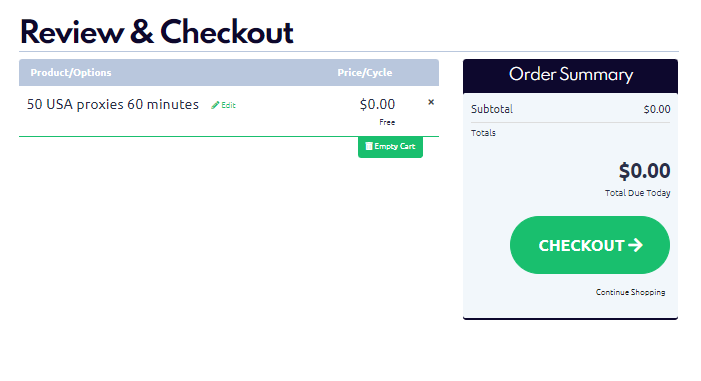
Click the link to add the test proxy package to your cart, then click the “Checkout” button.

Step 2: Register on the ProxyCompass Service

Use your Google account or enter your valid email address. Click the “Register” button to complete the registration process.

Your registration is complete. The password for your new account has been sent to the email address you provided.

Step 3: Check Your Email

In the email you received from us, you will find an automatically generated password. You can change this password later.

Step 4: Log in to the Dashboard

Go to the link:https://proxycompass.com/account/index.php?rp=/login

Enter your previously provided email address and the received password. Click the “Login” button.

Click the “Cart” button to proceed with the activation of the test proxy package.

Step 5 (The Most Important): Enter Your Own IP Address in the “Bind IP” Field

Be sure to enter the IP address of the device where you'll use the proxies. The proxies will only be accessible from the device with the IP you specified in "Bind IP".

For example:

- For a home computer, enter your home computer’s IP.

- For a remote server or VPS, enter the server's IP.

Visit https://2ip.io/ to find your current device’s IP.

In most cases, the IP will auto-fill. Click “Set” to apply settings.

Note: Activation may take 5-10 minutes. Just be patient.

Step 6: Choose the Suitable Proxy Retrieval Option

- Download an HTTP or SOCKS proxy list in the IP:PORT format.

- Download an HTTP or SOCKS proxy list in the IP:PORT:Username:Password format.

- Get a random SOCKS proxy via the link.

- Get a random HTTP proxy via the link.

- Generate and download a proxy list in a custom format.

How to Download a Proxy List (Without Username & Password)

If your program uses proxies without authentication, download the text file in the IP:PORT format. Use port 8085 for HTTP or 1085 for SOCKS, and click the "TXT" link as shown in the screenshot.

You will receive proxy lists in the following format:

How to Download a Proxy List with Username and Password

Your proxy Login and Password can be found at the top of the page. It will be displayed as follows.

In our example, our Login is USK9MFARF, and the Password is pq94v42C.

If your program requires the proxy list in the format IP:Port:Username:Password, follow these steps:

Scroll to the bottom of the page to the "Proxy list designer" section.

Enter the following code in the "Template" field:

{ip}:{port}:USK9MFARF:pq94v42C

where:

- {ip} - each IP address in the proxy list

- {port} - required port

- USK9MFARF - login

- pq94v42C - password

Select the desired option in "Proxy type" and click "Create" to generate the proxy list.

As a result, you will get a generated proxy list in the required format: IP:Port:Username:Password.

How to Get a Random Proxy from the List Without Downloading

If your program doesn’t support proxy lists and requires a direct link to a specific proxy server, you can do the following:

On the service page, find the section titled:

API for remote access to single random available proxy

You will see the following options there.

Click the “Get” link next to the option suitable for your program to obtain a random proxy from the list.

- Random HTTP Proxy without login/password:https://proxycompass.com/api/getproxy/?r=1&format=txt&type=http_ip&login=YOURLOGIN&password=YOURPASSWORD

- Random SOCKS Proxy without login/password:https://proxycompass.com/api/getproxy/?r=1&format=txt&type=socks_ip&login=YOURLOGIN&password=YOURPASSWORD

- Random HTTP Proxy with login/password:https://proxycompass.com/api/getproxy/?r=1&format=txt&type=http_auth&login=YOURLOGIN&password=YOURPASSWORD

- Random SOCKS Proxy with login/password:https://proxycompass.com/api/getproxy/?r=1&format=txt&type=socks_auth&login=YOURLOGIN&password=YOURPASSWORD

Replace YOURLOGIN and YOURPASSWORD with your actual login credentials.
https://proxycompass.com/knowledge-base/how-to-activate-a-proxy-package/

Dienstag, 20. August 2024

Data Scraping Legal Issues: Exploring hiQ vs LinkedIn Case

Data Scraping Legal Issues: Exploring hiQ vs LinkedIn Case

The high-profile case of hiQ Labs Inc vs LinkedIn Corporation (that took place in the US) shed light on the much-discussed data scraping legal issues.


We know you don’t want to get lost in legalese. 


So, we have prepared an easy-to-read summary of the most important points of this decision. The court sided with the scraper and established that scraping public data is not a violation of the CFAA (Computer Fraud and Abuse Act).


Let's look at the specifics of the case, and also the far-reaching consequences it left.


Is Web Scraping Legal? 


What did the web scraper say when asked about his legal strategy? "I plead the 404th."


If you're new to scraping data, you're likely concerned about the legality of your actions.


Good news is that you are not alone. Every scraper (I think?) has wondered the same. 


Bad news is that the answer is not so simple. Like dating, it just refuses to be simple.


Web scraping falls in a gray area and it can be an ambiguous practice.


Of course companies want to preserve their data, but, on the other hand, if it’s publicly available, why is it wrong to gather it? 


Now, what is the law's position on this much-debated matter? Let’s dive into the highest profile case of hiQ Labs vs LinkedIn to see if we can get some answers.


The Verdict: Scraping Data is not Unlawful

In 2022, the Ninth Circuit Court of Appeals finally made its decision and sided with hiQ Labs. The court held that scraping publicly available data does not amount to a violation of CFAA, even if it is against the terms of use of the website.


LinkedIn was attempting to prevent hiQ's bots from scraping data from its users' public profiles. But the Ninth Circuit was clear: giving a company the complete monopoly of data that it doesn’t own (as it is licensed) would be detrimental for the public interest.


A Limited Scope for the CFAA

In much simpler words, the Ninth Circuit established that companies do not have free rein over who can collect and use public data. 


One must not interpret the CFAA so broadly, as it would make almost anyone a criminal. 


Under the ruling, the CFAA only criminalizes unauthorized access to private, protected information. 


To sum up: websites can no longer use the CFAA to prevent unauthorized data collection. And they cannot employ legal tools against scrapers.  


The Public vs Private Data: Examining Legality Concerns

Data scraping legal concerns now shift towards the distinction between public-private data. 


So, for your convenience, I prepared a short cheat sheet you should follow when you are planning to scrape data:


- Is the data freely available? You are probably safe.
- Is the data only available to owners? This could lead to trouble

Easy right?


But, there are some other factors we have to consider…


Even if the scraped data is publicly available, you still have to take into account contracts, copyright, and laws, like the GDPR if you’re in the EU.


There are also ethical considerations beyond just legality like respecting robots.txt instructions and avoiding overloading servers, to name a few. Just because something is “legal” does not make it instantly right. 


A Green Light for Web Scrapers?


Although at first you may think the ruling favoring hiQ is a win for web scrapers, it doesn’t mean you have an open ticket to scraping.


This case narrows the CFAA's interpretation and affirms the right to gather public data. But, there are other data scraping legal issues we have to avoid.


For instance, if for scraping data you create a user account, then you can be in trouble as you have agreed with the terms of service. Even if the CFAA does not apply, one can be in breach of contract. What contract, you ask? Well, when you create a user account on a website, you typically have to agree to their terms of service. 


Lastly, LinkedIn obtained a permanent injunction, which in English means that it got hiQ to desist scraping as part of the agreement they’ve reached. So, it kind of was also a victory for LinkedIn too. 


PS: Keep in mind that scraping copyrighted data, like articles, videos, and images, can infringe on intellectual property rights, regardless of whether the data is publicly accessible.


Legal Implications of Web Scraping: The Bottom Line


“To scrape, or not to scrape - that is the question” as Hamlet would say - if he was born in 1998. Jokes aside, cases like hiQ vs LinkedIn helps us get some guidance on the legalities of web scraping.


It is highly improbable that scraping public data will cause you to violate the CFAA. 


However, some practices could lead you to legal repercussions, such as disregarding cease-and-desist orders, breaching user agreements, and even creating fake accounts.


The six-year-old LinkedIn vs hiQ lawsuit may be over, but the war on data scraping is still ongoing. Companies will try to protect their data, and we all know how powerful lobbyists are in the US.


In the EU, however, lobbying might not be as big of an issue. Instead, for whatever reason, they've gone all-in on privacy, and I'm pretty sure the GDPR laws might have something to say about the use of web scraping.


Despite these challenges, we all know scrapers are gonna scrape.


Disclaimer:
A) Not legal advice. This post was written for educational and entertainment purposes.
B) While the hiQ vs LinkedIn case set a precedent, it doesn't give unrestricted freedom.
C) Data protection laws like GDPR in the EU will have priority over an American case.
D) Laws in your country could be entirely different from what’s mentioned in this text.
E) I’m not a lawyer, I have no idea what I’m dooiiinng.


References:


López de Letona, Javier Torre de Silva y. “The Right to Scrape Data on the Internet: From the US Case hiQLabs, Inc. v. LinkedIn Corp. to the ChatGPT Scraping Cases: Differences Between US and EU Law.” Global Privacy Law Review (2024) https://doi.org/10.54648/gplr2024001


Sobel, Benjamin. “HiQ v. LinkedIn, Clearview AI, and a New Common Law of Web Scraping.” (2020). https://dx.doi.org/10.2139/ssrn.3581844


https://proxycompass.com/data-scraping-legal-issues-exploring-hiq-vs-linkedin-case/

Montag, 19. August 2024

Web Scraping for SEO: Don’t Waste Money on Expensive Tools

Web Scraping for SEO: Don’t Waste Money on Expensive Tools

Of course, everyone wants to dominate the SERPs. It's a no-brainer!


Want to know one of my favorite ways to achieve better rankings? Yup, web scraping!


Web scraping is particularly useful for SEO; not only is it very cheap, but it allows you to access hyper-specific data that sometimes is not even visible through SEMRush's or Ahrefs' databases.


Keep in mind anyone can disallow these two bots (and any bot actually) via their robots.txt.


So maybe you want to save a few bucks on those pricey subscriptions, but it could also be that you found a website trying to hide a few things…


Most Common Web Scraping Use Cases for SEO


You already know how important it is to keep up with the competitors, so let’s jump right in!


When applied to SEO - something that not many people do - web scraping can give you the ability to identify the keywords that your competitors use and the content they produce.


You could learn what your target audience is looking for, allowing you to create content that will be both relevant and rank high. After all, content is king right? Sure, sure, they’ve been saying that since 2014, but today in a world filled with AI content, that’s starting to be true.


Also helpful for website audits to identify technical issues like broken links and duplicate content.


If we’re talking local SEO, we can scrape competitor’s GMB reviews and do sentiment analysis.


As for link building, it can help track everything your competitor is trying so hard to build. 


Who doesn’t love a bit of lazy work here and there? Let them find the opportunities!


Don’t stop, no no no, many advantages are outlined in the upcoming section.


Benefits of Web Scraping for SEO


Web scraping offers several key benefits for SEO professionals:


Tailored Data Collection: Modify the data gathering process to align with specific SEO requirements. Access unique data sets that are beyond the reach of conventional tools.


Cost-effectiveness: Once the initial setup is done, web scraping can be a cheaper option in the long run if one needs to scrape data repeatedly than paying for subscriptions for SEO tools. If you’re up for saving money, it can be your go-to option.


Real-time data: Conduct on-demand data scraping to get the latest information, which is very important, especially when the search environment is constantly shifting.


Unlimited data collection: The bigger the data, the harder it is to clean..? That’s true but I personally dislike others imposing limits on me. Call me a rebel. I want to know it all.


Expanded Data Sources: Gain access to a wider range of relevant websites and platforms compared to what is typically offered by premium SEO tools.


Scalability: It can be used to deal with a large amount of data extraction and frequent updates, only constrained by your server capability.


Comparison of Web Scraping vs. Paid SEO Tools


Web Scraping AdvantagesSEO Tools BenefitsVery specific data extraction that can be adapted to specific requirementsEasy to use and comes with templates for frequently used SEO tasksMuch less expensive in the long runProfessional set of tools for keyword research, backlink analysis, and competitor researchReal-time data on demand from the sourceCurrent, credible informationUnrestricted data collection for extensive analysisReduces time with pre-built features and connectionsAutomate data retrieval and integrationContinued customer care and information

Popular SEO Scraping Tools


Here are some of the most popular tools, I won’t cover them all because there are so many. If you’d like to see a complete list leave a comment down below and we’ll create a post for that.


Python Libraries
- Scrapy: An open-source web crawling framework that provides a powerful and flexible way to extract structured data from websites. Highly scalable and can handle large sites.

- BeautifulSoup: Parses HTML and XML documents. It creates parse trees that can be used to extract data from web pages. Can be combined with libraries like Requests.

- Selenium: A tool for automating web browsers. It can be used to scrape dynamic websites that require JavaScript rendering. Useful for more complex scraping tasks.
SaaS Tools
- ScrapingBee: A web scraping API that handles proxies, CAPTCHAs, and headless browsers. It allows you to extract data from web pages with a simple API call.

- Scraper API: Service that simplifies the process of extracting data from websites at scale, handles proxy rotation, browsers, and CAPTCHAs via  a simple interface.

- ScrapingBot: Aims to simplify and democratize web data extraction. It allows users to not get blocked by handling some of the most typical web scraping challenges.
Browser Extensions
- Web Scraper: Free Chrome and Firefox extension  for web data extraction. Benefits include a visual element selector and export data to CSV or Excel formats.

- Instant Data Scraper:: Provides a simple point-and-click interface. Key advantages are the AI-powered data selection, support for dynamic content and infinite scrolling.

- Data Miner: Free and paid plans. Allows exporting to Excel. Benefits include the ability to scrape single or multi-page sites, automate pagination, and fill web forms.

How Web Scraping Helps Optimize Your Website's SEO


Feeling the need to increase your website's ranking on the search engine results page? 


With web scraping, you can get the info necessary for your SEO delusions of grandeur.


Analyze Your Site Structure

Web scrapers can dig into the nuts and bolts of your website, examining crucial elements like:


- Page titles
- Meta descriptions
- Headings (Heading 1, Heading 2, etc.)
- Internal linking
- Image alt text
- Page load speed
Discover Your Keyword Rankings

When applied to SEO, web scraping reveals ranking terms and positions.


You can monitor your rankings moving over time and see where you should optimize. 


Web scraping also uncovers details about your backlink profile, including:


- Number of backlinks
- Quality of linking sites
- The text used in the hyperlink or anchor text
Find Content Opportunities

When you compare your content with the most popular content that is related to your targeted keywords, you can easily find out what you are missing (and also what is irrelevant).


You can use these insights to:


- Produce new and useful content that responds to the searcher's needs
- Use keywords in the existing pages in a way that will make them more effective
- Write effective meta descriptions and titles to improve the click-through rate
Spy on the Competition

Curious to know how your competitors are ranking higher? They are revealed by web scraping. 


Scraping responsibly can take you to interesting places. You can analyze rival websites to learn:


- How they organize their site and information
- What keywords they are using
- What content types and topics they use
- Which link building strategies are effective in your industry
- How they maximize their title tags and meta descriptions

Recap: Make SEO Affordable Again with Web Scraping


Cheap, cheap, cheap. That’s what comes to my mind when I think about it.


Have you seen Ahrefs’ subscriptions prices? And now they’re pretty limited as well.


No more squeezing the cheapest tier for Excel files to check later.


So if you're looking for cost effective SEO and the broad data-sets, this is for you


It can take a lot of work to set up and get used to it, so keep that in mind. 


Not for the super busy Type A, go-getter individuals.


You’ll need time, and patience. And maybe nerdiness.


So, let's wrap it up! With web scraping for SEO, you can obtain insights on what your competitors are cooking, identify long-tail keywords that may not be available on tools like SEMRush and examine websites without restrictions - think about huuuge spreadsheet files.


Start implementing it now and come back to let us know in the comments how it went.


https://proxycompass.com/web-scraping-for-seo-don-t-waste-money-on-expensive-tools/

Sonntag, 18. August 2024

10 Most Common Web Scraping Problems and Their Solutions

10 Most Common Web Scraping Problems and Their Solutions

Web scraping is almost like a super-power, yet it has its own set of problems. 


If there are challenges affecting your data extraction process… Well, you're not alone. I’ve been there, and I know you too.


In this guide, we will explore the most frequent web scraping problems and how to solve them effectively. From HTML structure issues to anti-scraping measures, you will find out how to address these issues and improve your web scraping skills. 


What about you? Have you faced some challenges that we will explore in this article?


Feel free to share it in the comments!


Solving Web Scraping Challenges: Yes, There's Hope, Boys.


Web scraping is a process of extracting data from websites and it is a very useful technique (although you may already know this). However, it has several technical issues that may affect the quality of the data collected. 


Just like a miner looking for gold, you need some strategies that enable you to find your treasure. 


Continue reading to learn how to tackle challenges to improve your scraping technique.


Problem #1: HTML Structure Flaws and Lack of Data

Different HTML structures of the website pages can lead to failure of the scraper or the provision of incomplete data. It hinders the identification and retrieval of information in the right manner.


And with so many AI no-code tools about to turn every web designer into a big-brain-mega-chad out there, my guess would be that we are about to see more and more HTML incoherencies.


Solutions:


- Add error checking for the case where some elements are not present in the list.


- Employ loose selectors like XPath or regex.


- Create functions that you can use to work with different website structures.


Problem #2: Dynamic Content Loading

Most of the modern websites are built with the help of JavaScript, AJAX and Single Page Application (SPA) technologies to load the content without reloading the entire page. Did you know this is a problem for conventional scrapers?


Solutions:


- Employ headless browsers such as Puppeteer or Selenium to mimic user interactions with the website.


- Use waits to give time for the dynamic content to load.


- Poll or use WebSocket for real-time updates.


Problem #3: Anti-Scraping Measures

Websites try to control automated access through several ways, including IP blocking, rate limiting, user agent detection, and CAPTCHAs. These can greatly affect web scrapers, as I’m sure you have encountered some of them.


Solutions:


- Add some time intervals between the requests to make it look like a human is making the requests


- Use different IP addresses or proxies to prevent being blocked.


- Use user agent rotation to make the browser look like different ones


- Use CAPTCHA solving services or come up with ways of avoiding CAPTCHA.


Problem #4: Website Structure Changes

Website updates and redesigns change the HTML structure of the website and this affects the scrapers that depend on certain selectors to get data. 


Why don't they do it like me and update their sites once in a blue moon? Note to myself: improve this site more often, users will appreciate it, gotta keep the UX solid (come back later to check!).


Solutions:


- Select elements using data attributes or semantic tags as they are more reliable


- Conduct periodic checks to identify and respond to environmental shifts.


- Develop a system of tests that would help to identify the scraping failures.


- Propose to use machine learning to automatically adjust the selectors.


Problem #5: Scalability and Performance

Collecting a large amount of data from several websites is a slow and resource-consuming process that may cause performance issues. Not to mention things can get very tricky too. We know this too well, am I right?


Solutions:


- Use parallel scraping to divide workloads.


- Use rate limiting to prevent overloading of websites


- Refactor the code and use better data structures to enhance the speed of the code.


- Utilize caching and asynchronous programming


Problem #6: CAPTCHAs and Authentication

CAPTCHAs are a pain in the ass security measure that blocks bots and requires the user to complete a task that only a human can do. There are some tools to beat captchas, the auditory ones are especially easy nowadays, thanks to AI - yup, the AI listens to it and then writes the letters/words, piece of cake!


Here's a fun fact that's also a bit sad (very sad, actually): once I asked my developer what he did for the captchas, and he said there was an Indian guy solving them, I thought he was joking, but nope. Some services are using flesh to solve captchas. If that was my job, I'd go insane.


Solutions:


- Employ the services of CAPTCHA solving services or come up with own solving algorithms.


- Incorporate session management and cookie management for authentication


- Use headless browsers to handle authentication


Problem #7: Data Inconsistencies and Bias

Data collected from the web is often noisy and contains errors. This is because of the differences in the format, units, and granularity of the data across the websites. As a result, you get problems with data integration and analysis.


Solutions:


- Apply data validation and cleaning to standardize the data.


- Apply data type conversion and standardization.


- Recognize possible prejudice and use data from different sources.


Problem #8: Incomplete Data

Web scraped datasets are usually incomplete or contain some missing values. This is due to the changes that occur on the websites and the constraints of the scraping methods. So, having incomplete or missing data can affect your analysis.


That’s super annoying… I personally test something a dozen times, at least, to make sure I don’t have this type of error, that’s how much I hate it. You think everything is fine, until you open Excel or Gsheets, and realize you have to go back to the battle.


Solutions:


- Apply techniques of data imputation to predict missing values in the dataset.


- Use information from different sources to complete the missing information


- Reflect on the effects of missing data on the analysis


Problem #9: Data Preparation and Cleaning

Websites provide data in the form of text which is not organized and requires processing. It is necessary to format and clean the extracted data to use it for analysis. I know it’s the least fun part, but it needs to be done. 


If some of you guys know how to automate this part with machine learning or whatevs, please let me know! I waste so much time doing it manually like a dumbass on Excel.


Solutions:


- Develop data processing functions for formatting the data


- Use libraries such as Beautiful Soup for parsing


- Use regular expressions for pattern matching and text manipulation


- Apply data cleaning and transformation using pandas


Problem #10: Dealing with Different Types of Data

Websites display information in different formats such as HTML, JSON, XML, or even in some other specific formats. Scrapers have to manage these formats and extract the information properly.


Solutions:


- Add error control and data validation


- Utilize the right parsing libraries for each format.


- Create functions that you can use to parse the data in different formats.


Wrapping Up the Challenges in Web Scraping


Web scraping is a godsend and beautiful thing. But it can struggle with messy HTML structure, dynamic content, anti-scraping measures, and website changes, to name a few.


To improve the quality and efficiency of the scraped data, do the following:


- Use error checking
- Employ headless browsers
- Use different IP addresses
- Validate, check and clean your data
- Learn how to manage different formats
- Adopt the current and most recent tools, libraries, and practices in the field

Now it is your turn. Start following the advice we gave you and overcome the web scraping problems to be successful in your little deviant endeavors.


https://proxycompass.com/10-most-common-web-scraping-problems-and-their-solutions/

Samstag, 17. August 2024

What is Web Scraping and How It Works?

What is Web Scraping and How It Works?

Confused and want to know what in the world web scraping is and how it works?


Well you've come to the right place because we're about to lay down everything for you.


Before we dive in, I can already tell you the short version:


Web scraping is the process of extracting publicly available data from a website.


Join us to learn more about the specifics, how it works, and popular libraries that exist.


What is Web Scraping?


Basically web scraping is a procedure that allows you to extract a large volume of data from a website. For this it is necessary to make use of a "web scraper" like ParseHub or if you know how to code, use one of the many open source libraries out there.


After some time spent setting and tweaking it (stick to Python libraries or no-code tools if you're new here), your new toy will start exploring the website to locate the desired data and extract it. It will then be converted to a specific format like CSV, so you can then access, inspect and manage everything.


And how does the web scraper get the specific data of a product or a contact?


You may be wondering at this point...


Well, this is possible with a bit of html or css knowledge. You just have to right click on the page you want to scrape, select "Inspect element" and identify the ID or Class being used.


Another way is using XPath or regular expressions.


Not a coder? No worries!


Many web scraping tools offer a user-friendly interface where you can select the elements you want to scrape and specify the data you want to extract. Some of them even have built-in features that automate the process of identifying everything for you.


Continue reading, in the next section we'll talk about this in more detail.


How Does Web Scraping Work?


Suppose you have to gather data from a website, but typing it all in one by one will consume a lot of time. Well, that is where web scraping comes into the picture.


It is like having a little robot that can easily fetch the particular information you want from websites. Here's a breakdown of how this process typically works:


- Sending an HTTP request to the target website: This is the ground on which everything develops from. An HTTP request enables the web scraper to send a request to the server where the website in question is hosted. This occurs when one is typing a URL or clicking a link. The request consists of the details of the device and browser you are using.

- Parsing the HTML source code: The server sends back the HTML code of the web page consisting of the structure of the page and the content of the page including text, images, links, etc. The web scraper processes this using libraries such as BeautifulSoup if using Python or DOMParser if using JavaScript. This helps identify the required elements that contain the values of interest.

- Data Extraction: After the identified elements, the web scraper captures the required data. This involves moving through the HTML structure, choosing certain tags or attributes, and then getting the text or other data from those tags/attributes.

- Data Transformation: The extracted data might be in some format that is not preferred. This web data is cleaned and normalized and is then converted to a format such as a CSV file, JSON object, or a record in a database. This might mean erasing some of the characters that are not needed, changing the data type, or putting it in a tabular form.

- Data Storage: The data is cleaned and structured for future analysis or use before being stored. This can be achieved in several ways, for example, saving it into a file, into a database, or sending it to an API.

- Repeat for Multiple Pages: If you ask the scraper to gather data from multiple pages, it will repeat steps 1-5 for each page, navigating through links or using pagination. Some of them (not all!) can even handle dynamic content or JavaScript-rendered pages.

- Post-Processing (optional): When it's all done, you might need to do some filtering, cleaning or deduplication to be able to derive insights from the extracted information.

Applications of Web Scraping


Price monitoring and competitor analysis for e-commerce

If you have an ecommerce business, web scraping can be beneficial for you in this scenario.


That's right.


With the help of this tool you can monitor prices on an ongoing basis, and keep track of product availability and promotions offered by competitors. You can also take advantage of the data extracted with web scraping to track trends, and discover new market opportunities.


Lead generation and sales intelligence

Are you looking to build a list of potential customers but sigh deeply at the thought of the time it will take you to do this task? You can let web scraping do this for you quickly.


You just have to program this tool to scan a lot of websites and extract all the data that is of interest to your customer list such as contact information and company details. So with web scraping you can get a large volume of data to analyze, define better your sales goals and get those leads that you want so much.


Real estate listings and market research

Real estate is another scenario where the virtues of web scraping are leveraged. With this tool it is possible to explore a vast amount of real estate related websites to generate a list of properties.


This data can then be used to track market trends (study buyer preferences) and recognize which properties are undervalued. Analysis of this data can also be decisive in investment and development decisions within the sector.


Social media sentiment analysis

If you are looking to understand the sentiment of consumers towards certain brands, products or simply see what are the trends in a specific sector within social networks, the best way to do all this is with web scraping.


To achieve this put your scraper into action to collect posts, comments and reviews. The data extracted from social networks can be used along with NLP or AI to prepare marketing strategies and check a brand's reputation.


Academic and scientific research

Undoubtedly, economics, sociology and computer science are the sectors that benefit the most from web scraping.


As a researcher in any of these fields you can use the data obtained with this tool to study them or make bibliographical reviews. You can also generate large-scale datasets to create statistical models and projects focused on machine learning.


Top Web Scraping Tools and Libraries


Python

If you decide to do web scraping projects, you can't go wrong with Python!


- BeautifulSoup: this library is in charge of parsing HTML and XML documents, being also compatible with different parsers.
- Scrapy: a powerful and fast web scraping framework. For data extraction it has a high level API.
- Selenium: this tool is capable of handling websites that have a considerable JavaScript load in their source code. It can also be used for scraping dynamic content.
- Requests: through this library you can make HTTP requests in a simple and elegant interface.
- Urllib: Opens and reads URLs. Like Requests, it has an interface but with a lower level so you can only use it for basic web scraping tasks.
JavaScript

JavaScript is a very good second contender for web scraping, especially with Playwright.


- Puppeteer: thanks to this Node.js library equipped with a high-level API you can have the opportunity to manage a headless version of the Chrome or Chromium browser for web scraping.

- Cheerio: similar to jQuery, this library lets you parse and manipulate HTML. To do so, it has a syntax that is easy to get familiar with.

- Axios: this popular library gives you a simple API to perform HTTP requests. It can also be used as an alternative to the HTTP module built into Node.js.

- Playwright: Similar to Puppeteer, it's a Node.js library but newer and better. It was developed by Microsoft, and unlike Windows 11 or the Edge Browser, it doesn't suck! Offers features like cross-browser compatibility and auto-waiting.
Ruby

I have never touched a single line of Ruby code in my life, but while researching for this post, I saw some users on Reddit swear it's better than Python for scraping. Don't ask me why.


- Mechanize: besides extracting data, this Ruby library can be programmed to fill out forms and click on links. It can also be used for JavaScript page management and authentication.

- Nokogiri: a library capable of processing HTML and XML source code. It supports XPath and CSS selectors.

- HTTParty: has an intuitive interface that will make it easier for you to make HTTP requests to the server, so it can be used as a base for web scraping projects.

- Kimurai: It builds on Mechanize and Nokogiri. It has a better structure and handles tasks such as crawling multiple pages, managing cookies, and handling JavaScript.

- Wombat: A Ruby gem specifically designed for web scraping. It provides a DSL (Domain Specific Language) that makes it easier to define scraping rules.
PHP

Just listing it for the sake of having a complete article, but don’t use PHP for scraping.


- Goutte: designed on Symfony's BrowserKit and DomCrawler components. This library has an API that you can use to browse websites, click links and collect data.

- Simple HTML DOM Parser: parsing HTML and XML documents is possible with this library. Thanks to its jQuery-like syntax, it can be used to manipulate the DOM.

- Guzzle: its high-level API allows you to make HTTP requests and manage the different responses you can get back.
Java

What are the libraries that Java makes available for web scraping? Let's see:


- JSoup: analyzing and extracting elements from a web page will not be a problem with this library, which has a simple API to help you accomplish this mission.

- Selenium: allows you to manage websites with a high load of JavaScript in its source code, so you can extract all the data in this format that are of interest to you.

- Apache HttpClient: use the low-level API provided by this library to make HTTP requests.

- HtmlUnit: This library simulates a web browser without a graphical interface (aka it's headless), and allows you to interact with websites programmatically. Specially useful for JavaScript-heavy sites and to mimic user actions like clicking buttons or filling forms.

Final Thoughts on This Whole Web Scraping Thing


I hope it's clear now: web scraping is very powerful in the right hands!


Now that you know what it is, and the basics of how it works, it's time to learn how to implement it in your workflow, there are multiple ways a business could benefit from it.


Programming languages like Python, JavaScript and Ruby are the undisputed kings of web scraping. You could use PHP for it... But why? Just why!?


Seriously, don't use PHP for web-scraping, let it be on WordPress and Magento.


https://proxycompass.com/what-is-web-scraping-and-how-it-works/